
Custom Prefix for Complimentary Vouchers
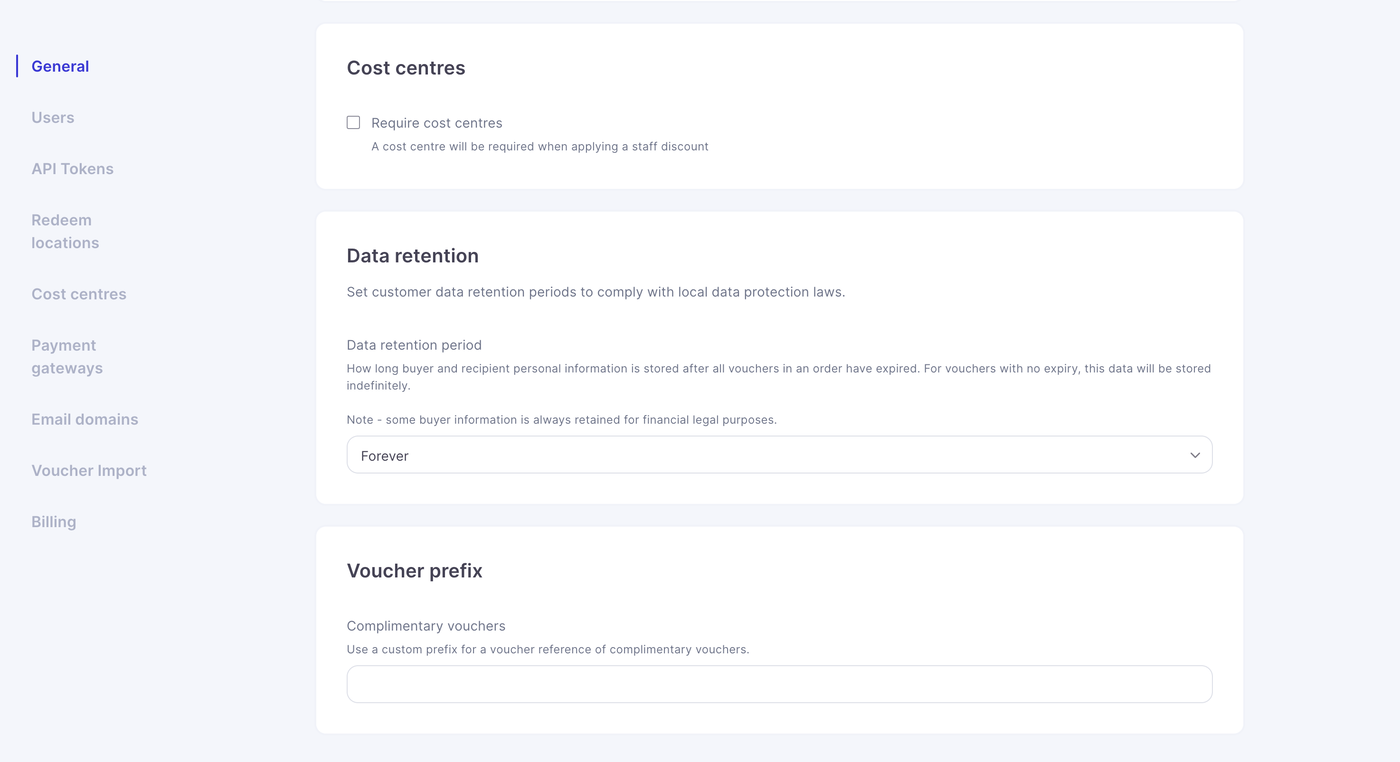
You can now apply a custom prefix to complimentary vouchers. This helps you identify them quickly in reports and keeps your internal naming structure consistent.
You can find this feature in:
Settings: General Settings.
How The Prefix Works
When a prefix is set, it is automatically added to the beginning of each complimentary voucher code generated through the terminal.
For example:
If you set the prefix C-, a voucher created in the terminal would look like:
C-PDX3F-34
If you set the prefix C, a voucher created in the terminal would look like:
CPDX3F-34
This makes complimentary vouchers easy to filter, track and audit.
Setting a Custom Prefix
Go to Settings > General Settings
Scroll down
Enter your preferred prefix
Save the changes
Your new prefix will apply immediately to all future complimentary vouchers.